
It is possible to connect the ProductMix account with Trello to import the Trello cards to ProductMix. The imported cards can be found under epics.
The tutorial will show how to connect the ProductMix account to Trello and how to import cards.
Steps to connect your ProductMix account with Trello #
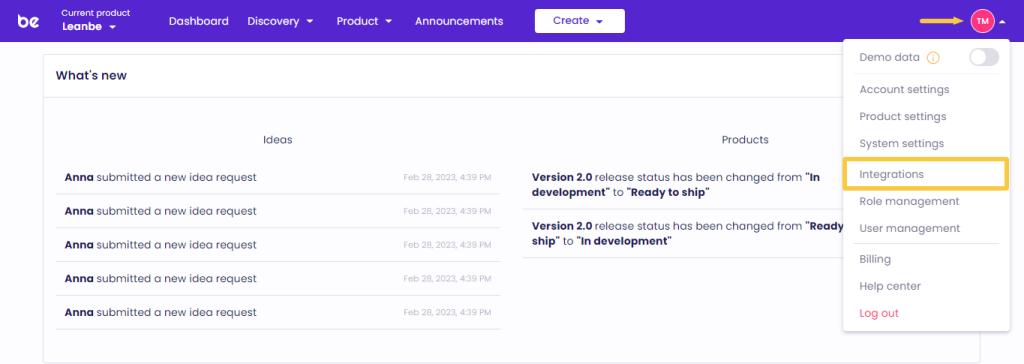
From your ProductMix Dashboard open the Settings tab and click Integrations.
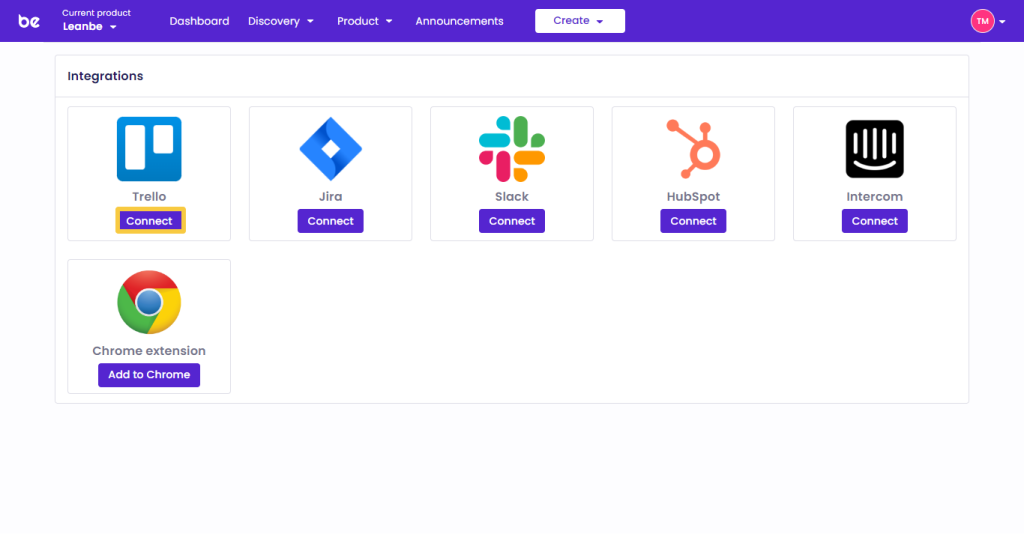
Choose Trello from the list and click Connect.
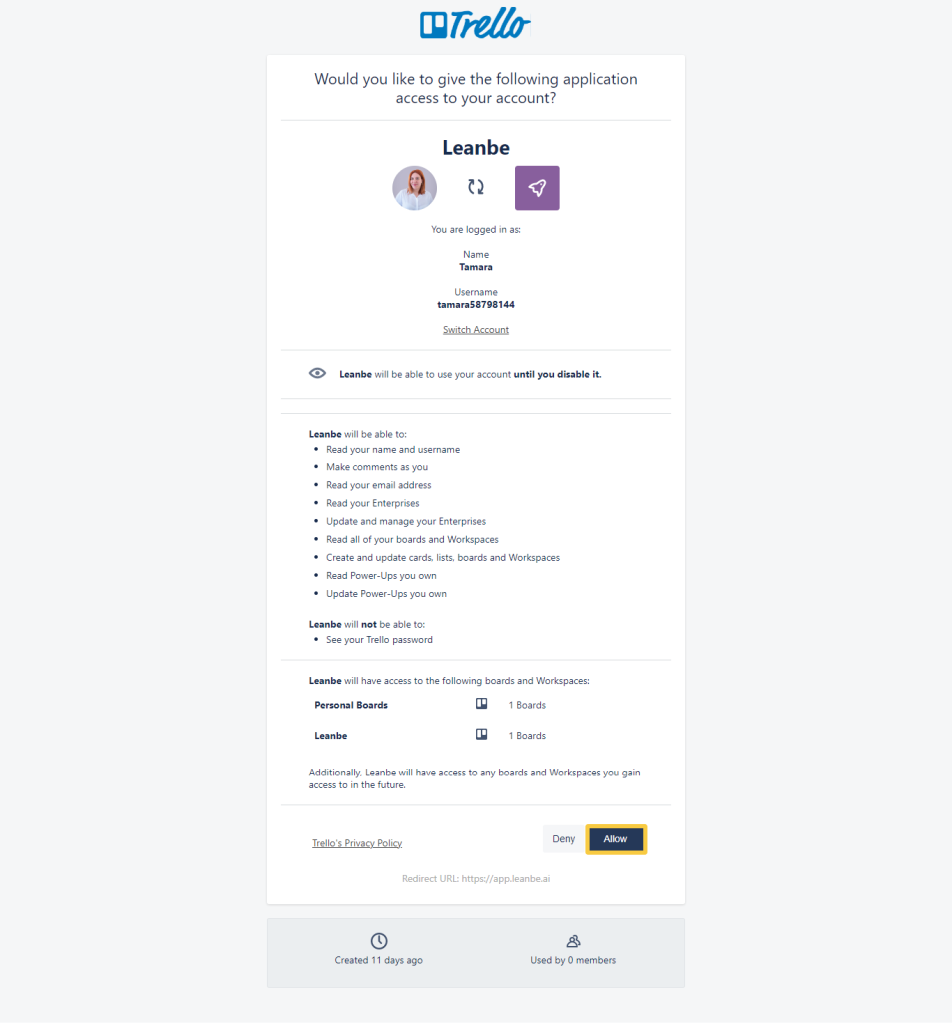
Log in to your Trello account and press Allow to finalize the connection process.
Steps to import Trello cards into your ProductMix account #
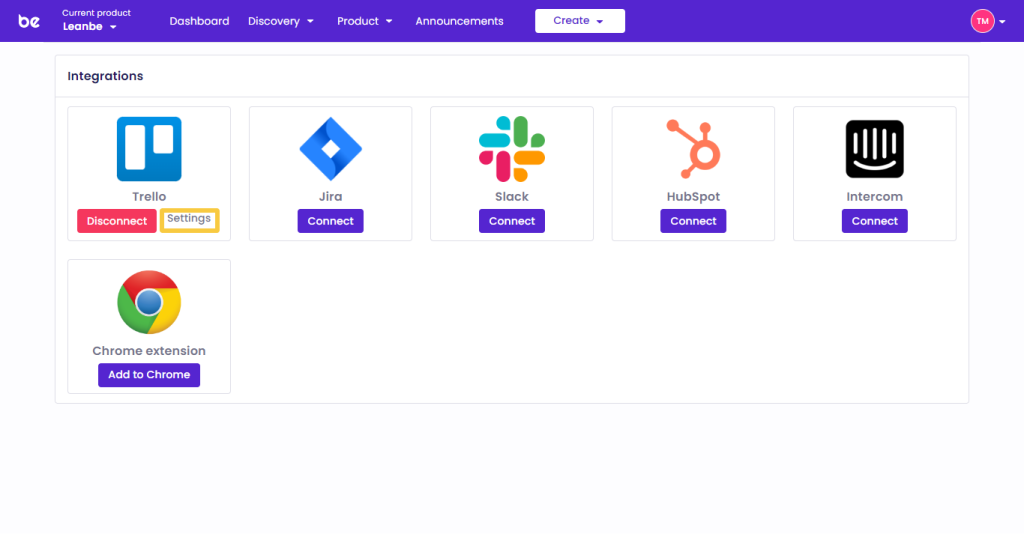
From the Trello integration press Settings.
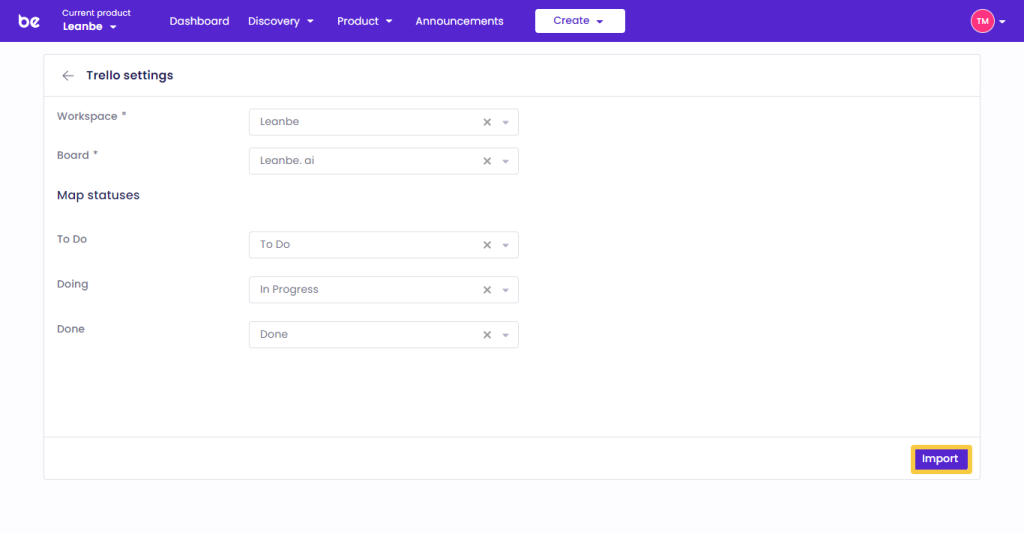
From the Trello Settings select the appropriate Workspace and Board. Map the columns of your Trello cards with the statuses of the ProductMix epics and press Import.
To check the imported cards, from your ProductMix account open the Epics of the Product section.
That’s it! Those were the steps to integrate ProductMix with Trello.